How to Delete Your Account & Data
Note: Deleting your account is permanent and will erase all your profile info, posts, shared content,
saved payment methods, groups, events, and personal data stored with Union Ties. This action cannot be undone.
Delete Your Account in the App
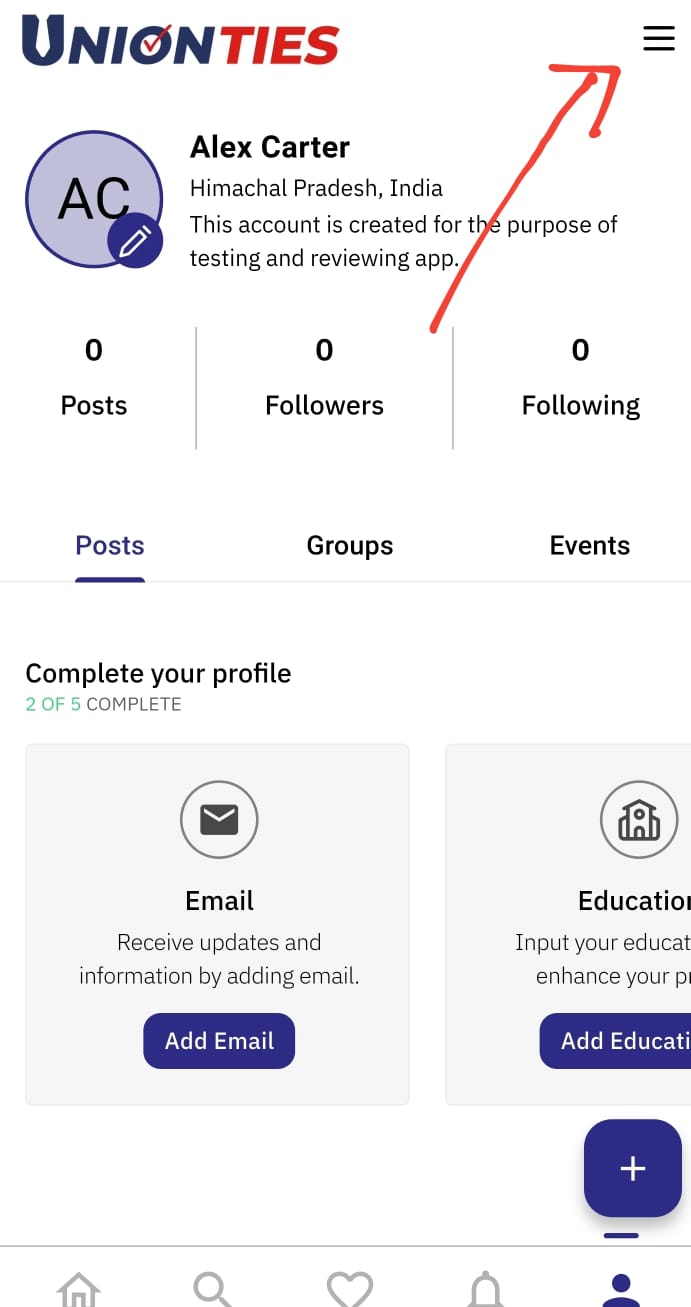
- Open the Union Ties app and go to your profile.
- Tap the menu (☰) icon in the top right corner.
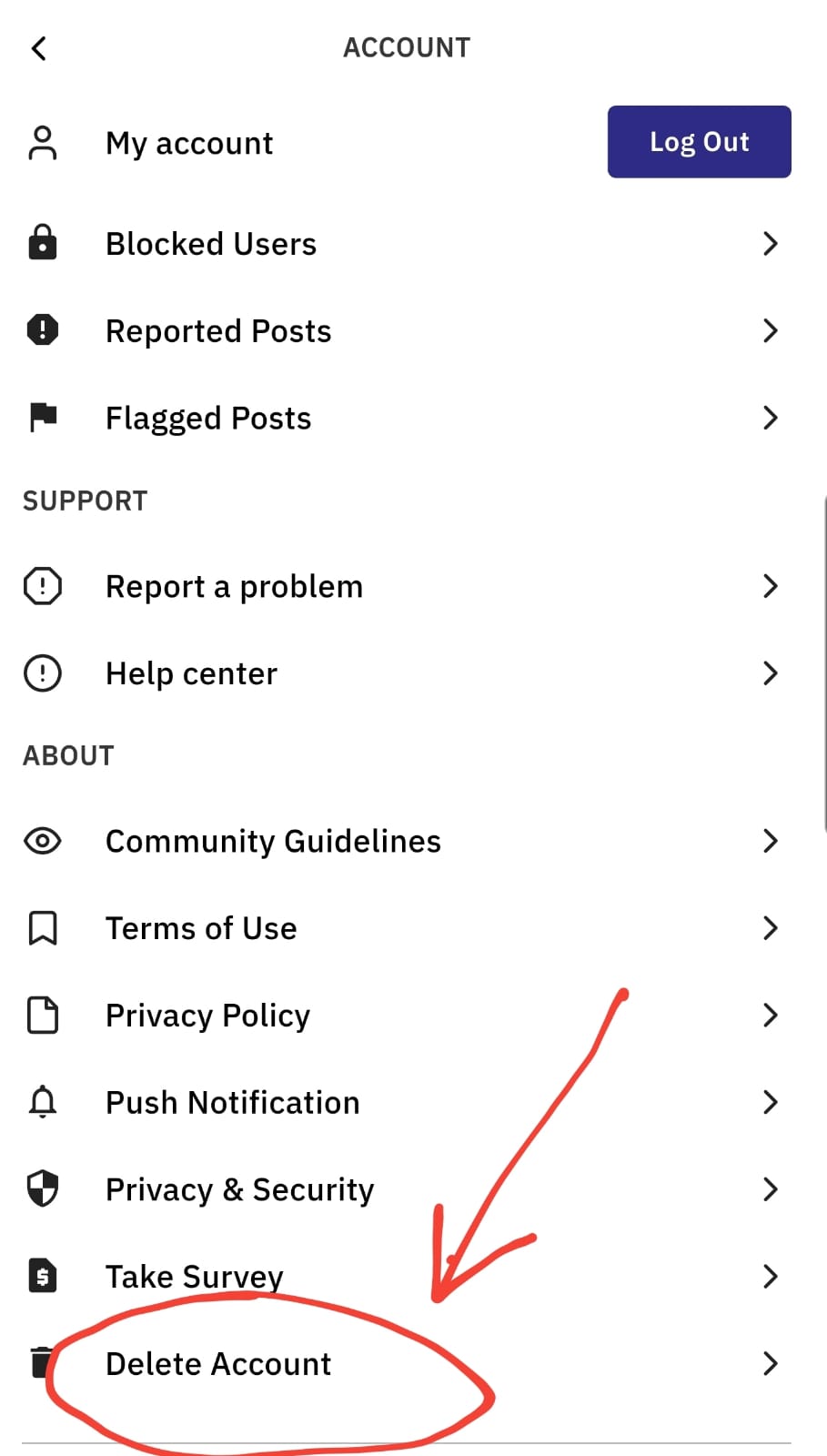
- Scroll down and select Delete Account.
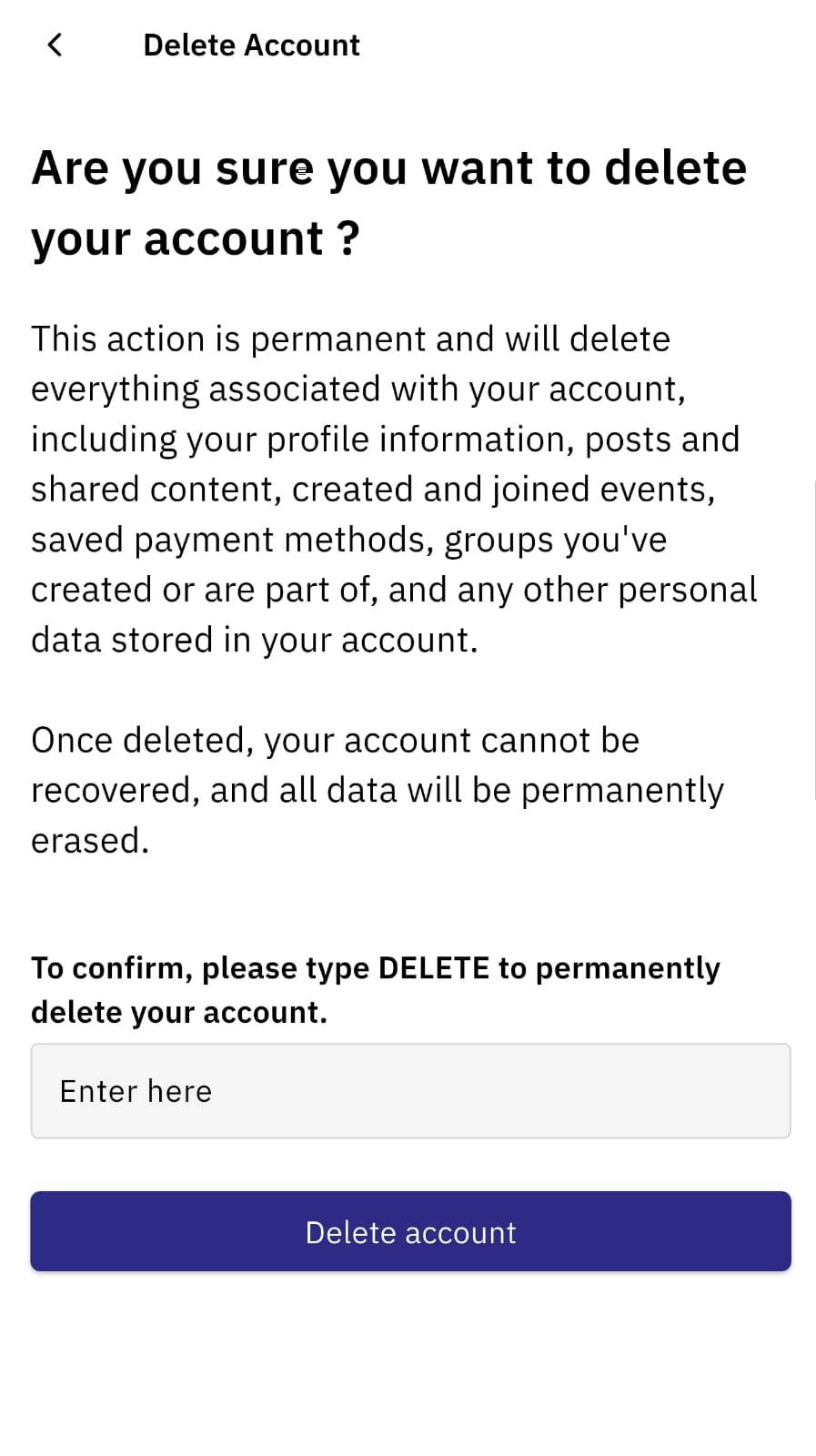
- On the Delete Account screen, review the warning. Type DELETE in the box to confirm, then
tap Delete account.
What Happens Next?
- Your account and all related data will be permanently erased from our servers.
- This process is immediate and cannot be reversed.
- If you have any remaining questions, contact us at info@unionties.com.
Alternative: Request Account Deletion by Email
If you cannot access your account, you may also email info@unionties.com
from your registered email address. Our team will
verify your identity and process your deletion request within 7 days.